I don't know today's collection until someone sends me a photo at night.
Each branch keeps its own numbers. You see them late, in different formats, and dues hide between the cracks.

Clinic ERP runs patients, consultations, treatment packages, therapist sessions, billing and pharmacy stock across all your branches. It's set up around how your doctors already work.
Live walkthrough on a working system · Set up for your specialty · No commitment
Real screens from the Clinic ERP demo, with sample clinics and patients. On your call, we open every one of them live.
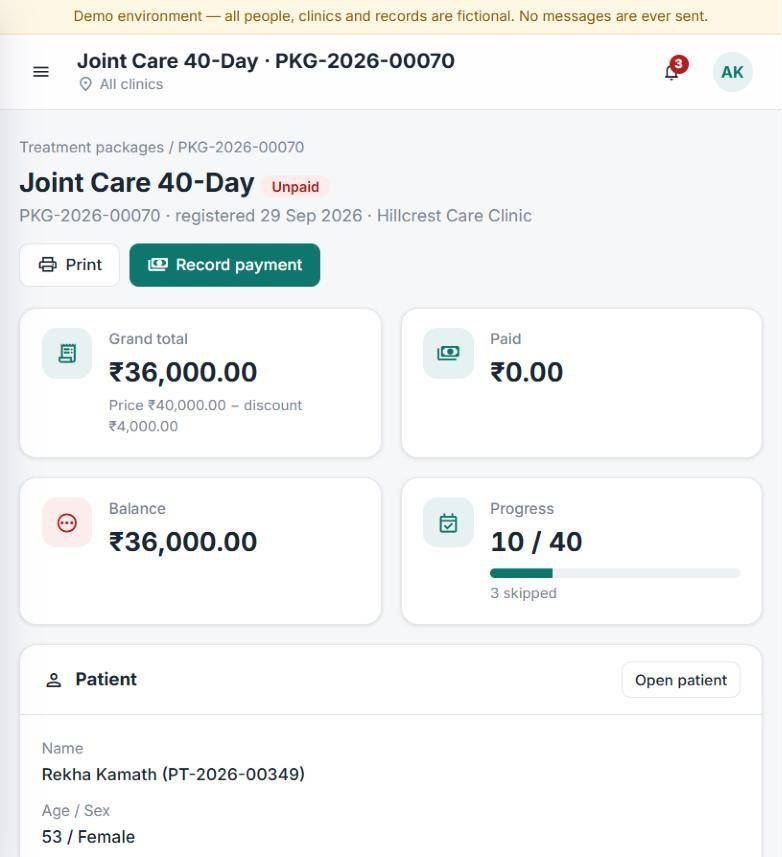
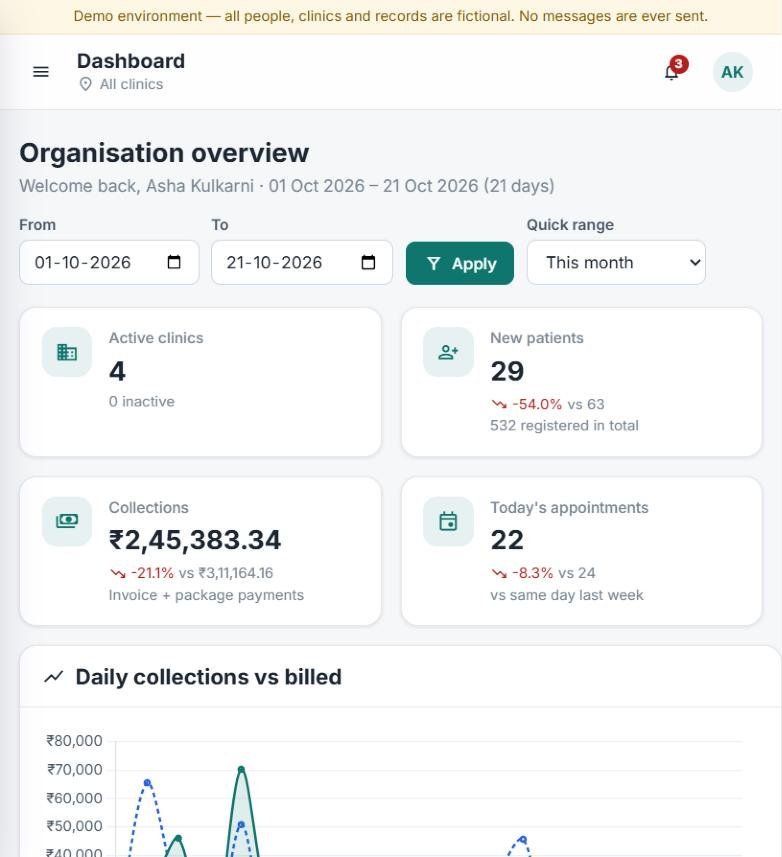
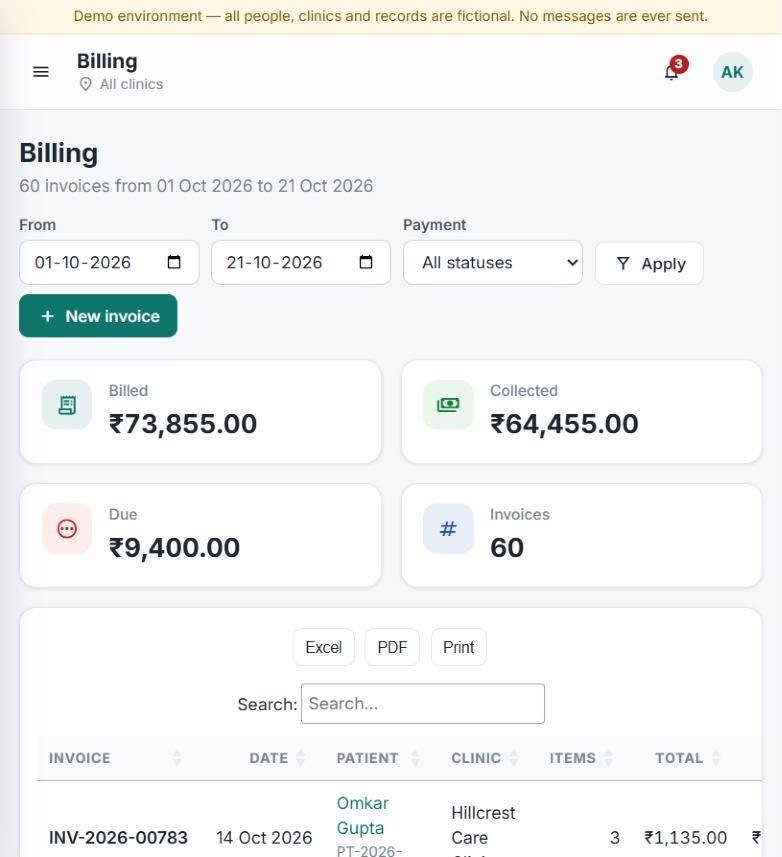
Screens from the live demo system. All clinics, people and numbers shown are sample data.
From the moment a patient pays at reception to their last session, every step is tracked in one place, and visible to you.
Joint Care, 30 days. Payment or part-payment recorded.
Every session booked before the patient leaves.
Sees only today's list. One tap per session.
A message after each session keeps them coming back.
Sessions, balance and collections on the dashboard.
The system sends the patient a WhatsApp when a session is booked and when each one is completed, so they know where they stand and when to come next. Your front desk stops making reminder calls, and the balance stays visible on the package.
One clinic can run on a register, Excel and a sharp front desk. Add a branch, a therapy wing or a franchise, and the gaps start to show.
I don't know today's collection until someone sends me a photo at night.
Each branch keeps its own numbers. You see them late, in different formats, and dues hide between the cracks.
Patient paid for 21 days. How many sessions are left? Let me check the register.
Packages, sessions and balances live in notebooks and chats. Skipped sessions and unpaid balances slip.
The oil ran out at the branch again. And this batch expired on the shelf.
Without branch-level stock and expiry dates, you over-order at one branch and run out at another.
She called last week asking about the knee programme. Who was following up?
Enquiries come in by phone, walk-in and WhatsApp. Without a next follow-up date, they quietly go cold.
None of these is a disaster on its own. Together they mean money you've earned but not collected, stock you've paid for but can't use, patients who drift off mid-programme, and an owner who has to be in every branch to know what's happening.
Reception books and bills. Doctors consult and prescribe. Therapists tick off each session. The store moves stock. And the owner sees every branch, live, without asking anyone.
Every screen below is in the live system. On the demo, we'll open each one with sample data and show it the way your team would use it.
30 minutes · We set it up around your branches before the call
What the system is built to do for each part of your clinic. The demo is where you check it against your own workflow.
Collections, dues and patient numbers for every branch, by date range and payment mode, whenever you open the dashboard.
Sessions done, skipped and the balance on every package, so the next conversation with the patient is easy.
A central warehouse feeding branches through purchase orders, with each branch's stock kept separately.
The Ayurveda consultation set (Prakruti, Nadi, Agni, dosha balance and diet charts) comes ready. For other specialties, the assessment fields, therapies and packages are set up to match how your doctors examine.
We'd rather tell you that on the call than sell you a system you won't use.
The best proof is the system itself. On the demo you'll see every screen on this page running, ask anything, and try the workflows your team does every day.
We demo the real product with sample clinics, patients and stock, signed in as each role.
Tell us how your packages, therapies and branches work. We'll show the closest match and what we'd set up.
If something you need isn't in the system today, we'll say so on the call, along with whether it can be added.
Pick a time that suits you · Calendar invite sent instantly
A demo is a working session, not a sales pitch. You'll leave knowing whether Clinic ERP fits, even if you decide it doesn't.
Choose a 30-minute slot that suits you. You'll get a calendar invite straight away.
Branches, specialty, packages and team. A few lines when you book is enough.
We walk through the owner dashboard, a package, a consultation and stock, in your order.
Ask anything. If it fits, we send a proposal for your setup afterwards. If it doesn't, we'll tell you why.
Useful to have handy: how many branches you run, one or two of your packages, and the one thing you most want fixed. Bring your clinic manager if they run day-to-day operations.
Every month you wait, the next branch opens on the same patchwork. Start it on one system instead.
Patients, appointments, consultations with prescriptions and diet charts, treatment packages and therapist sessions, billing with paid, partial and unpaid tracking, pharmacy and branch stock, a central warehouse with purchase orders, enquiries with follow-ups, MIS reports, staff and roles, and an owner dashboard across all branches.
No. The Ayurveda consultation set comes ready, but the consultation fields, therapies and packages are set up for your specialty, so it works the way your doctors examine and treat.
Yes. Each clinic is set up as your own, a franchise or a partner. Staff, stock and reports are separated by branch, and the owner can see all branches together or switch to one.
Each role only sees the screens it needs. A therapist sees today's sessions and taps Completed; reception sees bookings, bills and packages. On the demo, we'll show you each role's view so you can judge for your own team.
Yes. A doctor linked to several clinics chooses where they're working that day when they sign in, and sees that clinic's queue.
Yes. MIS reports can be filtered by clinic and date range and exported to Excel or PDF.
It depends on the number of branches and how much setup your specialty needs. We'll walk through options on the call and send a proposal for your exact setup afterwards.
You own your data. Hosting location and data handling for your region are confirmed with you on the call, before anything is signed.
Yes. It's a 30-minute walkthrough. You're under no obligation to buy.
Choose a day, pick a slot, add your name. You'll get a Google Meet link and calendar invite straight away.
An ad blocker or a slow connection can stop it. You can still book in one click:
Open booking pageTrouble with the calendar? Open the booking page in a new tab or e-mail